Incident reporting app
An incident reporting app that gets the facts the same hour
The person who saw it reports it from their phone: photos, who was there, what was done. Appello stamps the time and place, emails the office and the GC, and keeps the report open until someone records the fix. It's live today for insulation, mechanical, HVAC, plumbing, sheet metal, electrical, concrete and other ICI trade contractors.
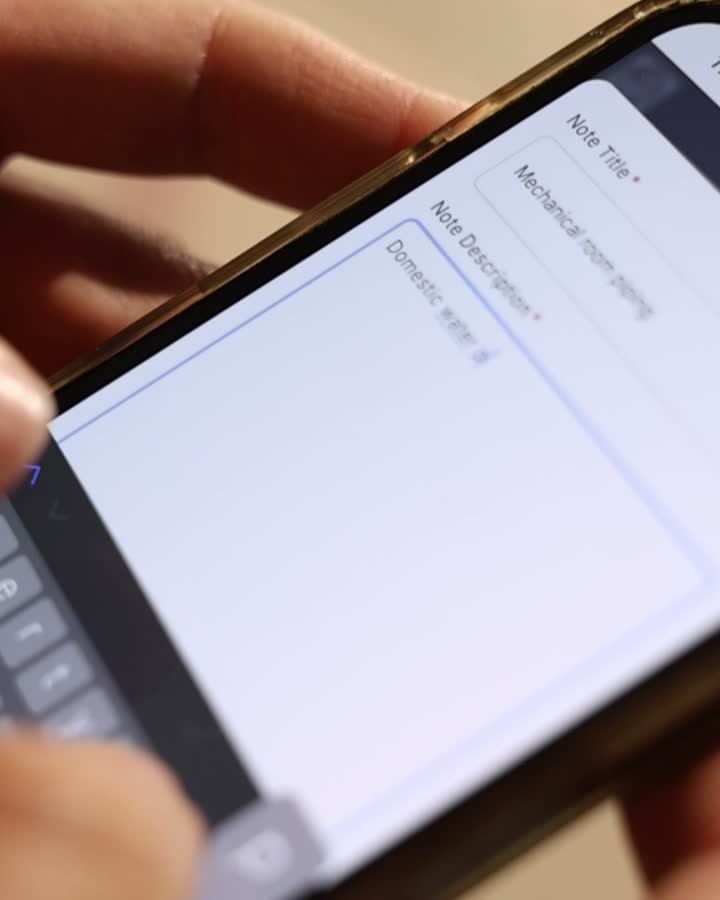
Footage from a real customer job: a foreman logging a note on site. The phone shows a form built for a fictional sample company and data.
A phone call and a memory, or photos and facts
Without it
- A call to the office at the end of the day, if anyone remembers.
- The form typed up on Friday from what people recall.
- The fix happens, but nobody writes down who did it.
With Appello
- The report is filed from the spot, with photos, before anything moves.
- The office and the GC have it by email the same minute.
- It stays a Fail until someone records the fix, with their name on it.
Thursday, Lakeshore General · Wing B
One near miss, from 10:42 to closed
10:42 AM
On the phone
O. Reyes, lead installer
He sees it and opens the form
A cover has been kicked off a core-drilled sleeve in the Level 3 corridor. Nobody's hurt. He tapes it off, then opens the near-miss report from the job's forms on his phone. The job, his name and the start time are already filled in.
10:47 AM
On the phone
Still at gridline C-7
Photos and facts, while it's in front of him
Two photos of the opening as he found it. Who was there, from the people list. What was done in the moment. A risk rating and the control. The cover check is a pass/fail question, and it fails.
10:51 AM
On the phone
Signed with his PIN
Submitted, stamped, located
Last name and five-digit PIN, and it's in. Appello stamps the time, and because Sealtight has GPS tracking on, where the phone was. No signal in the corridor? The mobile app keeps it and sends it when he's back in range.
10:51 AM
In the office
F. Gill, office & compliance
In the office, and the GC's inbox
The form's recipients get it by email the same minute: F. Gill, the owner, and Northgate's site safety contact. In the Form Inbox it sits at the top of the day as a Fail, so nobody has to go looking.
Email · sent automatically10:51 AMTo: F. Gill, N. Haddad, Northgate Construction · Site safety
Near Miss / Incident Report · 26-052-01 · O. Reyes
Floor opening cover moved off a core-drilled sleeve, Level 3 corridor, gridline C-7. Nobody hurt. Area taped off at 10:45. 2 photos attached.
Submission PDF · 2 photos
Form InboxJob: 26-052-01Thu Sep 10Result · Job · Form · Submitter- Fail
Near Miss / Incident Report
O. Reyes · 26-052-01 Wing B Firestop · 10:51 AM
- Pass
Penetration Seal Inspection
O. Reyes · 26-052-01 Wing B Firestop · 9:34 AM
- Pass
Daily FLHA
O. Reyes · 26-052-01 Wing B Firestop · 7:02 AM
2:15 PM
In the office
Same day
Closed, with who and how
F. Gill adds the resolution: what was done, by whom, with a photo of the new cover. The report flips from Fail to Resolved, and the fix stays attached to it for the next audit.
ResolutionResolvedF. Gill · Thu Sep 10 · 2:15 PM
Cover replaced with 3/4" plywood, screwed down and marked. Northgate's superintendent told at 11:20. Floor-opening covers are tomorrow's toolbox talk.
1 file attached
Fictional sample company and data. The form is one the sample company built in Appello's form builder.
Your incident form, with your questions
Appello doesn't hand you a generic accident report. You build the near-miss and incident forms your safety program calls for in the form builder, attach them to every open job, and they're on every crew's phone the next morning.
Each form has its own recipients (people, groups or outside contacts), its own required sign-offs, and can wait to email until everyone has signed. An answer can make another form mandatory, so “someone was hurt” brings the investigation form with it.
| Question | Type | Why it's there |
|---|---|---|
| What happened?In their words, while it's fresh. | Text | In their words, while it's fresh. |
| What kind of event was it?Near miss, first aid, medical aid, property damage, unsafe condition. | Choices | Near miss, first aid, medical aid, property damage, unsafe condition. |
| Was anyone hurt?Answer Yes and your incident investigation form becomes mandatory on the job. | Yes / No | Answer Yes and your incident investigation form becomes mandatory on the job. |
| PhotosAs many as the scene needs, from the camera or the library. | Photo | As many as the scene needs, from the camera or the library. |
| Who was involved or saw it?Picked from your people list, so names are spelled right. | Person | Picked from your people list, so names are spelled right. |
| Equipment involvedPicked from your asset list, so it lands on that machine's history. | Equipment | Picked from your asset list, so it lands on that machine's history. |
| Risk and controlThe task, the hazard, a rating and the control. | Risk assessment | The task, the hazard, a rating and the control. |
| Opening covers secured and marked?A fail marks the report for corrective action. | Pass / Fail | A fail marks the report for corrective action. |
| Supervisor sign-offDrawn on the screen with a typed name, or a required sign-off with a PIN. | Signature | Drawn on the screen with a typed name, or a required sign-off with a PIN. |
Corrective action
Who fixed it, what they did, and when
A failed report waits in the Form Inbox. Whoever owns the fix opens it on the web and adds a resolution: notes, photos or files, and their name. The report changes from Fail to Resolved. Take the resolution off and it goes back to Fail.
Crews see the resolution on the report in the mobile app, and the Safety Compliance report shows who filed what and who should have. When the auditor asks what you did about near misses, the answer is already attached to each one.
- Resolved
Near Miss / Incident Report
O. Reyes · 26-052-01 Wing B Firestop · 10:51 AM
- Pass
Penetration Seal Inspection
O. Reyes · 26-052-01 Wing B Firestop · 9:34 AM
- Pass
Daily FLHA
O. Reyes · 26-052-01 Wing B Firestop · 7:02 AM
F. Gill · Thu Sep 10 · 2:15 PM
Cover replaced with 3/4" plywood, screwed down and marked. Northgate's superintendent told at 11:20. Floor-opening covers are tomorrow's toolbox talk.
What the report connects to
“Which near misses are still open?”
Ask Claude, ChatGPT, Microsoft Copilot and Grok through the Appello connector. It reads the same submissions, inside your Appello role. Recording a fix or emailing a report waits for your yes, and every call is logged. You can delegate the work, not the responsibility.
AI for contractors · The Appello connector · Morning PM brief playbook
“Summarize this quarter's near misses on Lakeshore, by job and by type.”
search_form_submissions“Which failed incident reports still have no corrective action?”
search_form_submissions“Record the fix for Thursday's floor-opening near miss.”
upsert_resolution“Email that report to Northgate's site safety contact.”
send_form_submission_email
From a field supervisor
“It's a lot more organized, easier to access resources. When you're doing your FHA, everybody's aware, all on the same page of the hazards and all your safety gear that you need.”
2,500
safety forms filed a year at a typical 200-person contractor on Appello
Based on usage across a sample of Appello customers, scaled to 200 people over 12 months. Rounded.
Questions safety managers ask
Does Appello come with a ready-made incident report form?
No. In Appello, an incident or near-miss report is a form you build in the form builder, with your own questions, wording and sign-offs. That way it matches your safety program and your COR or OSHA paperwork instead of ours. Most companies build one near-miss form and one incident form, and attach both to every open job.
Can a worker report a near miss anonymously?
No. In Appello, every submission belongs to the person who signed in and filed it, with their name, the job and the time. That's what makes it usable as evidence. If your program needs an anonymous channel, keep that separate; Appello's report is the named, dated record.
Does the report record where and when it was filed?
Yes. In Appello, every submission is time-stamped when it's started and submitted. If you turn on GPS tracking for your company, the submission also records where the phone was when it was filed. Nobody types the date, the time or the location.
Who finds out when a report comes in?
Yes, the people you choose. In Appello, each form has its own recipients: users, groups or outside contacts such as the GC's safety lead. They get the submission by email when it's filed, or once everyone who has to sign it has signed. The office also sees it in the Form Inbox, filtered by job, form or result.
Does it work without a signal?
Yes. The Appello mobile app works offline, so a worker in a basement mechanical room can fill in the report and it uploads when the phone reconnects. The office side, the Form Inbox and the resolution, needs Wi-Fi or data.
Does this replace reporting to WSIB, OSHA or the GC?
No. In Appello, the incident report is your own record: what happened, the photos, who was there and what was done about it. You still report to WSIB, OSHA or your provincial or state regulator, and to the GC, the way the law and your contract require. Appello gives you the facts to do it from, and can email the GC a copy when the report is filed.
What the law asks you to report, and when: read incident investigation and reporting requirements.
File a near miss in five minutes
We'll build your incident form on a sample company in the demo, file one from a phone and close it from the office.
File a near miss in a demoA working session on your own week: your crews, your payroll rules, your jobs. Pricing for your team size afterwards.
- I have one problem to fix firstSee every modulePick the problem in front of you (payroll, scheduling, job cost, billing) and see the screens that handle it.
- I want to know where we standTake the 6-minute readiness scorecardScores payroll, job cost, scheduling, safety and how connected your systems are, which is the groundwork AI needs. You see your score in each area and a demo agenda built from your answers.
- I want the big pictureSee how Appello connects AIHow your operations data, your integrations and assistants like Claude and ChatGPT fit together.