Work order software for mechanical contractors
Service and T&M work, signed on site and ready to bill.
Appello work orders run service calls and T&M work for mechanical, HVAC, plumbing, electrical, insulation and other ICI trade contractors. A checklist the tech can't skip, labour, material and equipment logged by the day, the customer's signature on the phone, then an invoice from the same lines. Live in Appello today.
Weighing service software against a project system? Our buyer's guide on running service calls and projects in one place compares the options.
Work Order
26-009-01-WO12 · Heat-trace insulation repair, Line 4
Huron Generating Station · In Progress
- Lock-out confirmed with operations
- Remove damaged insulation, bag for disposal
- Heat-trace tested by others, sign-off on file
- Re-insulate 60 lf, 4" × 1.5" mineral woolPhoto required
- Jacket and band; photo of finished runPhoto required
The Appello mobile app, Checklist tab. App screens use a fictional sample company and data.
The ticket problem
Paper tickets
- Hours written on the back of a ticket in the truck.
- A signature nobody can read, a week later.
- The invoice rebuilt from scratch at month-end.
Appello work orders
- Hours from the timesheet, by trade level.
- Signed on the phone, with name and date.
- The invoice built from the same lines.
One work order, start to finish
A work order stands alone for a service customer or sits under a parent job, like WO12 under the Huron outage. These are the statuses Appello starts you with. Mark as Complete on the phone sets Work Complete and tells the office; you move the rest, and you can rename them all.
- 1OpenCreated from a template, on its own or under a parent job.
- 2In ProgressDispatched and being worked.
- 3On HoldWaiting on parts, access or the customer.
- 4Work CompleteThe tech taps Mark as Complete; the office is notified.
- 5Submitted for ApprovalSent to the customer to review and sign.
- 6Customer ApprovedSigned off by the customer.
- 7Closed & InvoicedInvoice generated, reviewed and sent.
Dispatch it on the dispatch board; the tech sees it in My Schedule with directions.
Checklists and templates
A checklist the tech can't skip past
Build checklist templates once in Settings and import one onto any work order, or save a good checklist as a new template. Each item can require a photo or document, a written response, or a completed form, such as your hazard assessment.
Appello won't tick an item until its requirement is met, and once ticked, only the person who did it or a supervisor can change it. Work order templates go further: job type, rate type, checklist, default duration, start time, check-in radius and the usual labour, material and equipment lines.

Footage from a real customer job.
Labour, material and equipment
Bill what you agreed. Cost what it took.
Labour comes from the crew's timesheets by trade level, plus any line you add. Material comes from the price book or straight from stock; equipment by rate type. Try billing D. Nguyen's travel hour or not.
26-009-01-WO12 · Heat-trace insulation repair, Line 4
Part of 26-009-01 Huron Generating · Unit 3 Outage · Thu 10 Sep 2026
| Labour | Trade level | Hours billed | Rate | Cost | Sell |
|---|---|---|---|---|---|
| D. Nguyen | Journeyperson | 8.0 hworked 9.0 | $96.00 | $525.60 | $768.00 |
| J. Alvarez | Journeyperson | 9.0 hworked 9.0 | $96.00 | $525.60 | $864.00 |
| Material | Qty | Markup | Unit cost | Cost | Sell |
| Mineral wool pipe insulation 4" × 1.5" | 60 lf | 25% | $9.20 | $552.00 | $690.00 |
| Aluminum jacketing 0.016" | 1 roll | 25% | $212.00 | $212.00 | $265.00 |
| Stainless bands 1/2" · from stock | 1 roll | 25% | $38.50 | $38.50 | $48.13 |
| Equipment | Rate type | Qty | Rate | Cost | Total |
| Scissor lift 19' | Daily | 1 | $185.00 | $110.00 | $185.00 |
Cost for the day
$1,963.70
Labour cost uses the hours worked, whatever you bill.
Generate Invoice from Work Order
This will create a Simple Invoice with 6 line items totaling $2,820.13.
- 2 labor ($1,632.00)
- 3 material ($1,003.13)
- 1 equipment ($185.00)
The Work Order status will remain unchanged.
Before tax. Change the billed hours: cost stays, sell and the invoice follow. Fictional sample company and data.
Those lines are the LEM: labour, material and equipment on the work order itself, with no separate LEM document to fill in. The office adds lines on the web; technicians add labour, material and equipment rows from the phone. Generate invoice turns the lines into a simple invoice once per work order. From the work order to the customer's invoice: T&M invoicing.
Customer signature
Signed before the truck leaves
After Mark as Complete, the tech picks one: Request signature from a coworker in Appello, Collect in person by handing over the phone, or Email for signature with a secure link. No login needed. The signer reads the work order and its cost summary, signs, types a full name and taps Confirm & Sign.
Sign Off
By signing you confirm the work was completed as described and approve the total of $2,820.13 plus applicable taxes.
Confirm & SignAppello records the signature, name, date and, if the browser allows, location. Several customers can sign; the header shows Signed by 1/2 until the last one does. Each signer is emailed a link to their signed copy.
Completion photos and PDF
The photos prove the checklist
The Photos tab gathers every picture on the work order: checklist photos, material receipts and anything added to Files. Checklist photos print under Work Checklist on the customer copy and in Download PDF, next to the signatures, so the GC sees the finished run, not just a total.
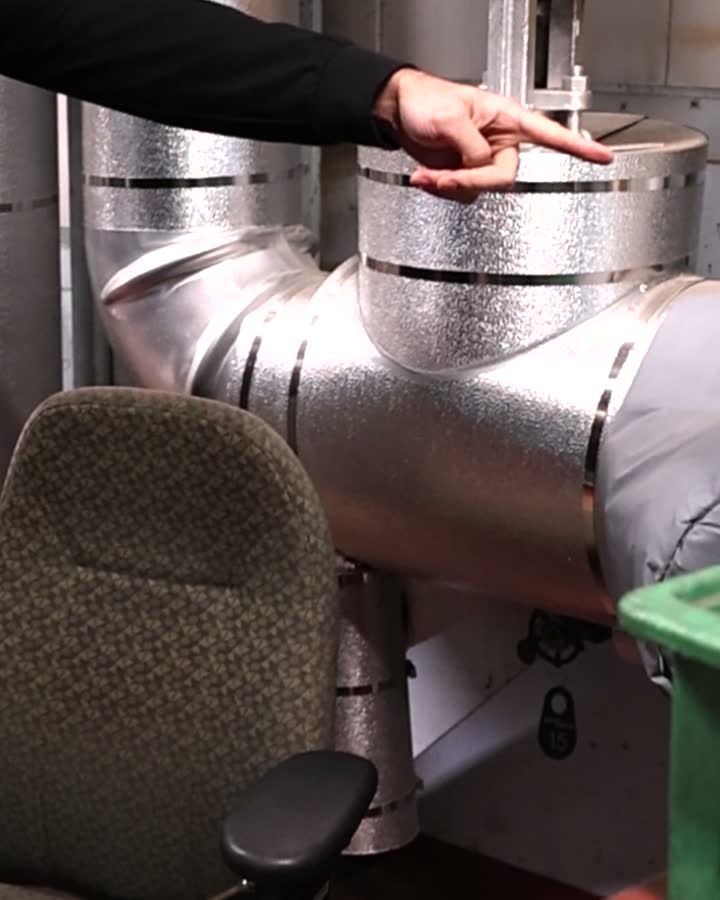
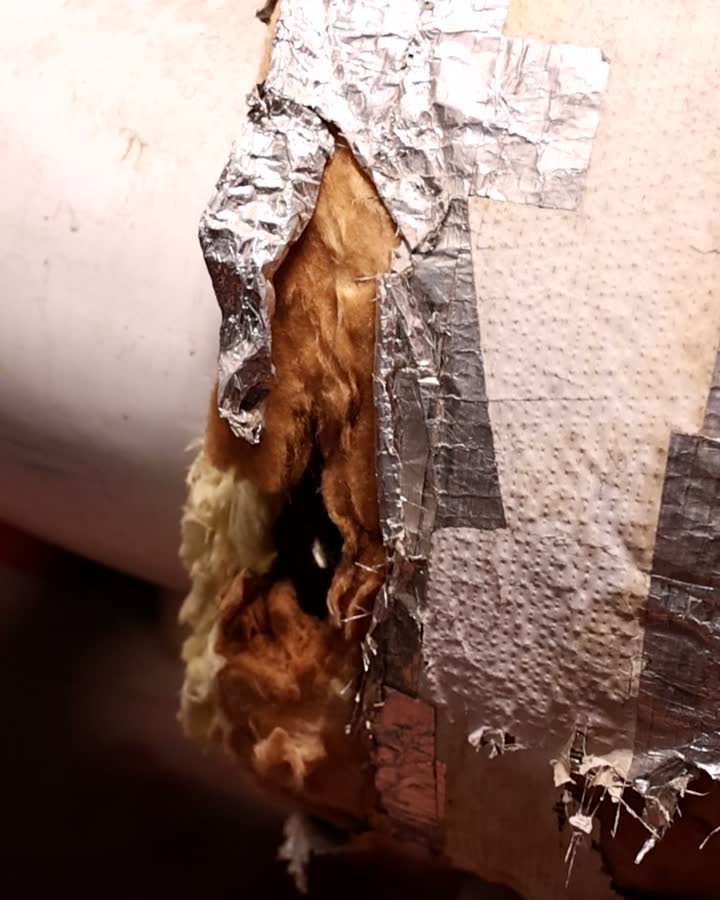
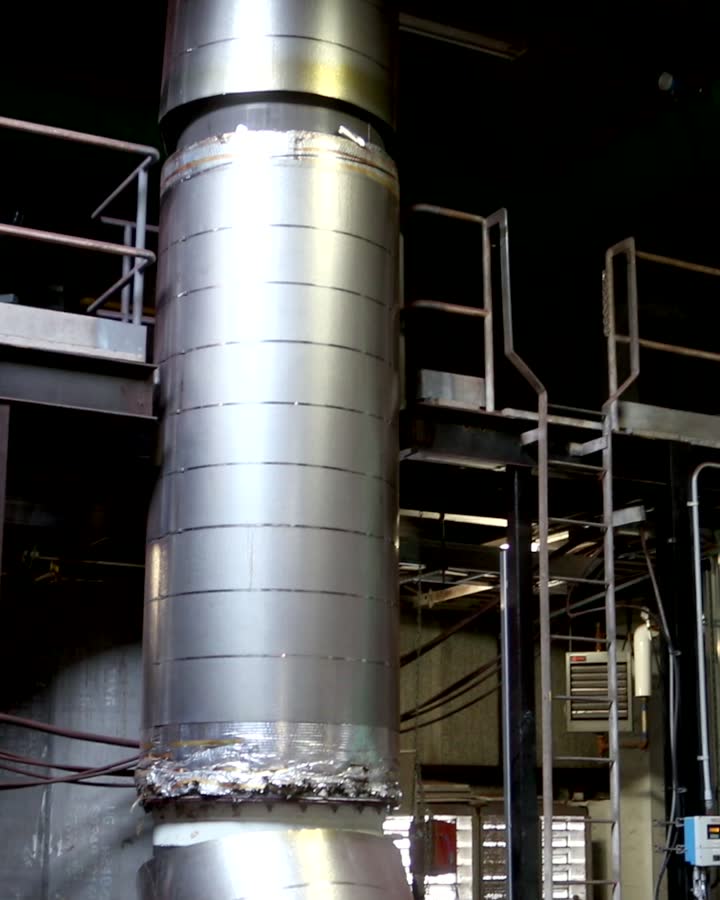
Photos from real customer jobs.
Receipt photos appear on the customer copy only on lines you mark visible to the customer. Photos added only through Files stay internal.
Service work on the same records as project work
Dispatch board
Drag the work order onto a tech's hour.
T&M invoicing
Signed lines become the invoice.
Inventory
Pull the tech's material from stock.
Purchase orders
Order what the van doesn't carry.
Hours on a work order come from the same timesheets and trade levels as project hours, so union payroll and job cost don't need a second system.
Ask which work is signed and still unbilled
Through the Appello connector, your assistant reads work orders, their checklists and lines, and can set one up from an email for a person to check.
Works inside your Appello role. Every call is logged. Anything that leaves the business waits for a person. You can delegate the work, not the responsibility.
Works with Claude, ChatGPT, Microsoft Copilot and Grok. The Appello connector · Appello in ChatGPT · AI for contractors · Help building an agent
“Which work orders on the Huron outage are signed but not invoiced yet?”
The signed work orders under 26-009-01 with no invoice, their totals and who signed.
search_jobs · get_job“Set up a work order for the heat-trace repair on Line 4 from this email, under the outage job.”
A new work order under 26-009-01 with the description and site from the email, for you to check before anyone is dispatched.
create_job · create_work_order_checklist_item“How far along is the checklist on WO12, and what's still open?”
Items done and outstanding, with any that still need a photo or a form.
get_work_order_checklist_progress
Questions service managers ask
Does a work order have to belong to a project?
No. In Appello, a work order can stand alone for a service customer, or sit under a parent job, such as the T&M work around a shutdown. Under a parent, it takes the parent's job number plus your prefix and a sequence, so 26-009-01-WO12 reads as the twelfth work order on that outage.
Does the customer need an Appello login to sign?
No. In Appello, the technician can hand the phone over to collect a signature in person, or send a secure signing link by email. The signer sees the work order and its cost summary, draws a signature, types their name and taps Confirm & Sign. Several customers can sign one work order.
Can a tech tick a checklist item without the photo?
No, not if the item asks for one. In Appello, each checklist item can require a photo or document, a written response, or a completed form. The app won't tick it until that's there, and only the person who completed an item, or a supervisor, can change it afterward.
Can I bill fewer hours than the crew worked?
Yes. In Appello, each labour line keeps worked hours and billed hours apart. Cost uses the hours worked and the sell price uses the hours billed, so job cost stays true while the customer sees what you agreed to charge. Unbilled hours are flagged so nobody forgets them.
Does signing create the invoice?
No, you do. In Appello, Generate invoice builds a simple invoice from the work order's labour, material and equipment lines, once per work order, and tells you the line count and total first. The work order's status stays as it is until you change it, so the invoice gets a review before it goes out.
Do I still need separate service software?
Not for the work orders. In Appello, service and T&M work run on the same jobs, people, timesheets and rates as your project work, and work orders go on the same dispatch board and schedule. If you run a large residential service business with memberships and online booking, Appello isn't built for that.
Bring last week's service tickets
We'll rebuild one as a work order: checklist, hours from the timesheet, material from stock, a signature on the phone, and the invoice.
Run a service call in a demoA working session on your own week: your crews, your payroll rules, your jobs. Pricing for your team size afterwards.
- I have one problem to fix firstSee every modulePick the problem in front of you (payroll, scheduling, job cost, billing) and see the screens that handle it.
- I want the big pictureSee how Appello connects AIHow your operations data, your integrations and assistants like Claude and ChatGPT fit together.
- I want a quick benchmarkScore your operationSix minutes, five scored areas, and a report you keep, whether or not you ever book a demo.