Crew schedule app
The crew schedule app that puts tomorrow's job on every phone
Appello shows each worker their own schedule in the mobile app: the job, the customer, the site address, how far it is and one-tap directions. It ships today on iPhone and Android, reads without signal once loaded, and uses the same bookings the office makes.
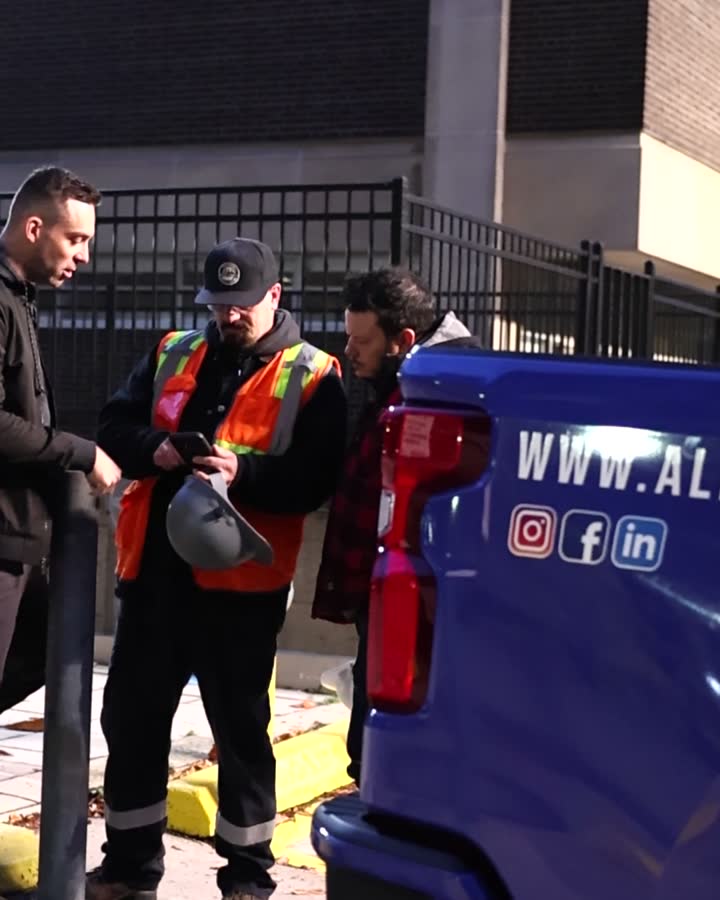
Footage from a real customer job. App screens use a fictional sample company.
Everything on one card. Nothing to call about.
This is the card J. Alvarez sees for Friday, drawn large. Six things on it answer the six questions a crew used to phone the office about.
Huron Generating Station
4200 Lakeshore Road
Sarnia, ON N7T 7H2
- 1
Job number
26-009-01, the same number the office, the timesheet and the invoice use.
- 2
Status
In Progress, so nobody drives to a job that's on hold.
- 3
Job name
Huron Generating · Unit 3 Outage. The words the crew uses, not a code.
- 4
Distance
How far the site is from where the phone is right now.
- 5
Customer and site
Keystone Builders, at Huron Generating Station, with the full street address.
- 6
Directions
One tap opens Apple Maps or Google Maps at the site address.
One tap deeper: the rest of the job
The scheduler's note
Anything the office typed for that day shows under the card: bring the long ladder, gate B is locked.
Info tab
The assigned supervisor, and if you allow it, Scheduled Staff: who else is on the job today, with a phone number to tap.
Forms tab
The forms the job requires today, listed as To Do. My Forms carries a badge until they're filled.
Clock In
On the job's details, ready when the worker is booked there today.
App screens use a fictional sample company. The card is drawn from the same sample screen as the phone above.
From the office's booking to the gate
One worker, one job, Thursday to Friday morning. The booking is made once, on the web, and every step after it reads from it.
Thursday, 4 p.m.
The office books the week
The scheduler puts J. Alvarez on Huron Generating from Thursday and leaves a note for Friday: bring the long ladder. The booking is live the moment it saves.
How the office books crews →Thursday, 8:40 p.m.
Alvarez checks tomorrow
He opens Appello on the couch. My Schedule shows Friday's job card: Huron Generating, Unit 3 Outage, 96 km, with the office's note under it.
Friday, 5:50 a.m.
Directions, not a text thread
He taps Directions in the truck. His maps app opens at 4200 Lakeshore Road in Sarnia. Nobody had to send him the address.
Friday, 6:55 a.m.
Clock in on the right job
He taps the job card, then Clock In. Because he is booked there today, the button is waiting for him, and the punch lands on job 26-009-01.
The time clock →Friday, 7:00 a.m.
The forms the job needs
The job's Forms tab lists what is To Do today, and My Forms shows a badge. The daily hazard assessment is first.
FLHA app →
A day, the hours, or the week
All Day
Every job the worker is booked on for the date, as cards. Arrows step to the next day.
Everyone
Hourly
The same day laid out by time, for crews split between jobs or on timed bookings.
Everyone
Weekly
The whole week at a glance in My Schedule, when your company turns the weekly view on.
Company setting
Company Schedule
Everyone's bookings, by day or week, for foremen and supervisors who need the full picture.
By permission
What it does when the signal drops
Basements, mechanical rooms and outage sites lose signal. The Appello mobile app works offline: once the schedule has loaded, the job card, the address and the job's details stay on the phone. A clock-in or a form filled without signal waits on the phone and goes up when it reconnects. Laptops and office screens need Wi-Fi.
More on the field app →What it doesn't do (yet)
- No alert when a booking changes. There is no push, text or in-app message for schedule changes. Workers see the latest version when they open the app. Change someone's day at 9 p.m.? Call them.
- The office plans on the web. Crews read the schedule on the phone; the booking, moving and copying happen on the web schedule.
- No supervisor on the card. The assigned supervisor is one tap in, on the job's Info tab.
Let your AI send the crew list. After you read it.
Claude, ChatGPT, Microsoft Copilot and Grok read the same schedule through the Appello connector, limited to what your Appello role allows. The AI can draft the message. A person sends it.
You can delegate the work, but not the responsibility for it.
Write tomorrow's crew list by job, as a message I can paste to each foreman.
get_schedule_for_date
Who is booked on Lakeshore General today and hasn't clocked in yet?
search_schedules · search_checkins
Is anyone booked on two jobs on Monday?
search_schedules
Which forms will the Huron crew see as To Do tomorrow?
search_job_safety_forms
Usage
worker-days scheduled on Appello
Counted across every Appello customer account on 2 September 2026. Each one is a job card on someone's phone.
worker-days a year for a 200-person contractor
Based on usage across a sample of Appello customers, scaled to 200 people over 12 months. Rounded.
Questions foremen and ops managers ask
Do workers get a notification when their schedule changes?
No. Appello doesn't send a push alert, text or in-app message when a booking changes. Workers see the latest schedule every time they open the app, so most crews check it the night before. If you move someone late in the evening or on the morning of, call them. That is the honest gap today, and we would rather you plan around it than find out on site.
Does the schedule work without cell signal?
Yes, in the mobile app. Once the schedule has loaded with a connection, the day's job card, address and job details stay readable without signal, and a clock-in made offline is kept on the phone and sent when it reconnects. Directions need the maps app to have coverage or downloaded maps. The mobile web version and the office screens need a connection.
Which maps app opens when they tap Directions?
Whichever the worker has. The Appello app opens Apple Maps or Google Maps with the job's site address, and the worker can choose to be asked every time or remember a choice in App Settings. If neither app is installed, directions open Google Maps in the browser. Nobody has to retype an address from a text message.
Can a worker see who else is on the job?
Yes, if you allow it. The job's Info tab can show a Scheduled Staff card for the day: each person's name, position and hours, with their phone number one tap away. It sits behind a permission, so you decide which roles see it. Foremen with the right permission can also open Company Schedule to see everyone's bookings, not just their own.
Can crews see the whole week, or only today?
Both, depending on your settings. My Schedule opens on a day, with All Day and Hourly tabs and arrows to step through the dates. When your company turns on the weekly view, My Schedule also gets a Weekly tab. Company Schedule, for people allowed to see everyone, always has one. The office plans in the same schedule on the web.
What phones does it run on?
The Appello app runs on iPhone and Android phones and tablets, and downloads from the App Store and Google Play; your company sets up who can sign in. Workers sign in with their last name and a five-digit PIN, or Face ID or a fingerprint after the first time. A phone browser shows the schedule too, view only and online.
Where the schedule comes from, and where it goes
Before
Crew scheduling software
The office books people by job, worker or day, with leave and overlap warnings.
Before
Certification check
Red and yellow tickets show on the daily schedule before anyone is sent.
Next
Time clock
Clock in on the scheduled job, with a geofence if you want one.
Next
FLHA app
The daily hazard assessment the job requires, on the same phone.
The app
Field app
Everything else the crew does in Appello, online or off.
The module
Scheduling & dispatch
Every view of the schedule, on real screens.
See tomorrow on a phone
We'll book a sample crew on the web and open the job card on a phone in the same call, so you see exactly what your crew would see.
Build next week's schedule in a demoA working session on your own week: your crews, your payroll rules, your jobs. Pricing for your team size afterwards.
- I have one problem to fix firstSee every modulePick the problem in front of you (payroll, scheduling, job cost, billing) and see the screens that handle it.
- I want to know where we standTake the 6-minute readiness scorecardScores payroll, job cost, scheduling, safety and how connected your systems are, which is the groundwork AI needs. You see your score in each area and a demo agenda built from your answers.
- I want a quick benchmarkScore your operationSix minutes, five scored areas, and a report you keep, whether or not you ever book a demo.